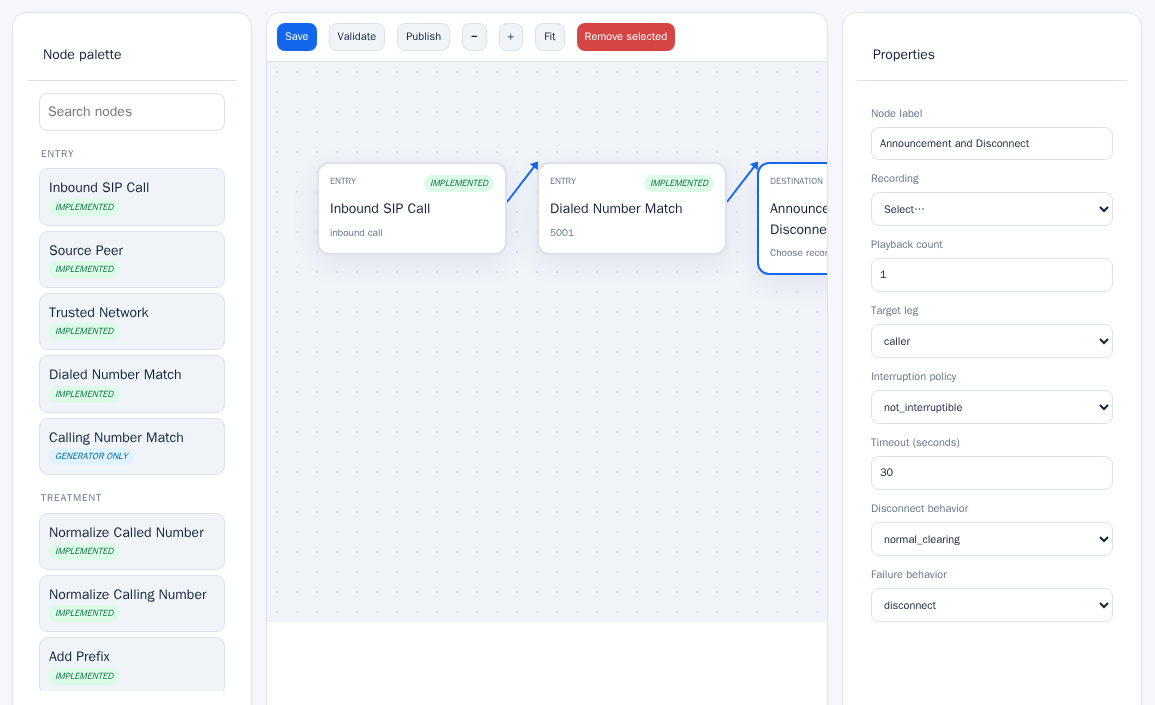
Call flow designer
Drag entry points, treatments, decisions, and destinations onto a canvas and connect them.
CollabPlane Studio
Call flow design and configuration
Studio is a call flow designer with a configuration generator behind it. Lay out how a call should be handled, validate the design, and get an implementation package for the platforms in the path.
Studio is delivered as a hosted service. There is nothing to install except the on-site collector, where one is needed.
Drag entry points, treatments, decisions, and destinations onto a canvas and connect them.
Produce reviewed implementation packages for Cisco Unified CM, CUBE, AudioCodes, Ribbon, Microsoft Teams Direct Routing, Zoom Phone, and Webex Calling.
Check a flow for errors and step through it before anything is published.
Type the message and Studio produces the audio, or upload your own recording.
Manage SIP peers, routing, and call handling from one console.
Worked examples and short videos for each kind of flow.
Select the image to open it at full size.
Platforms
Coverage depends on software release. Ask sales to confirm the versions you run.
| Status | |
|---|---|
| Cisco Unified CM | Yes |
| Cisco CUBE | Yes |
| AudioCodes SBC | Yes |
| Ribbon SBC | Yes |
| Microsoft Teams Direct Routing | Yes |
| Zoom Phone | Yes |
| Webex Calling | Yes |
| Generic SIP | Yes |
Is Studio right for you?
For engineers designing call behavior and implementation guidance.
An example
A reserved test number reaches a configured route, plays a selected recording, then disconnects. Use that small workflow to establish signaling, media, and call-record evidence before expanding the scenario.
No other CollabPlane product is required. Studio is a hosted service; contact sales for pricing and availability.
A generated configuration still needs testing on your own devices and versions. Ask sales about support for your platforms.